
Link to Website
Introduction — Brotherly Love
My brother is a professional voice actor, a career which is becoming more and more reliant on having an online presence. Being active on socials, Instagram, Facebook, but especially X, is vital (as weird as it might sound, there is hardly any pressure for voice actors to have an active and updated Linkedin). Nevertheless, it is also important to keep up a professional appearance, especially when auditioning for roles, and so many actors opt to have a personal website which introduces them, catalogues some of their best roles, gives their contact info, etc.
Now, you could reach out to any number of freelancers online and get a quote, which will land anywhere from hundreds to thousands of dollars. Or, you could ask your brother, who just finished a website localization class, to build you a website for the low low price of a Christmas present.
Merry Christmas, Chris.
Choosing a CMS and Host

CMS
I would like to say that I labored greatly and did intense research before settling on a CMS (Content Management System), but truthfully, I chose WordPress almost immediately. The long story is that WordPress has an amazing number of specific and useful plugins and an almost overwhelming amount of customization options.
The short story is that the class I had just finished primarily utilized WordPress and so I was eager to put what I had learned to the test. I know there are several CMS options, Wix, Google Sites, Squarespace, to name a few, but, perhaps in a bizarre twist on Stockholm Syndrome, I had been with WordPress too long, and I couldn’t imaging working with anything else.
Love you, WordPress <3.

Host
If I had chosen Squarespace, Wix, or Google Sites, this section would be irrelevant. As I understand it, those services include both CMS and hosting functionalities. Nevertheless, because I wanted to work with the open-source WordPress, I needed to involve a service that would allow me to host a WordPress site at a reasonable price.
After reading more “Top 5 WordPress Hosting Options” websites than I care to admit, I settled upon Bluehost. In the end, it was a toss-up between WordPress’ in-house hosting service and Bluehost, but all the third party reviews I had read, and even WordPress itself, wrote about Bluehost before the WordPress hosting. This gave me enough confidence to go with Bluehost for the time being.
Another good thing about WordPress is that it is quite easy to transfer your website builds from host to host. This gave me more confidence in Bluehost: if I was dissatisfied, it would be relatively simple to move my website to a different host without having to start all over.
Design Decisions
WordPress Theme
Astra. I love it. You love it. We all love it. Astra has tons of customization options that are easy to cycle through and test out. They also have intuitive header and footer builders, as well as easy font and color options.
Color Scheme
The rule of thumb that I learned for color schemes is to pick 5: 3 colors that work well together plus black plus white. My brother had the logo above commissioned awhile back and he really likes it. I popped it into Adobe Color and used that to help me select my 3 colors which were a mustard yellow, a light burnt orange and a yellowy cream color.
The black was used for text. The white was used for backgrounds and text where applicable. The yellow was also used for text where applicable. The orange was used for content containers to help the appearance of the pages. Finally, the cream was used for highlights and as a general site background.
Layout
To put it plainly, I hate sidebars and all that they stand for. So there will be no sidebars on any site I make unless explicitly asked for.
With that out of the way, I decided to have the main page contain all the important information all put together. I added some animations so that as you scoll, the next batch of information flies in from the side. In my opinion, this makes it feel like an interactive story, where new and cool information just keeps flying in.
However, I’ve never really been a fan of “single page” websites that just use anchors to fly you around one page. It’s a cool effect, but I think it leads to users becoming lost on the website. According to Steve Krug, users should never get lost and they should always be aware of where they are. You can also never make navigation too clear.
I still liked the “scrolling story” effect though, so I settled on just being slightly redundant. You can see his voice demos on the home page, yes, but they’re also on a specific page labeled “Resume & Demos.” There’s a contact form at the bottom of the welcome page and also in a dedicated page called “Contact Me.” There’s a section for posts sorted by recency on the main page, but also under a dedicated page called “Updates.”
You get the idea.
Content
After consulting with Chris and looking at examples of other voice actors’ websites, I created an order of priority for the welcome page. In other words, I figured out what should go first, second, third etc. Basically, the short introduction should come first and it should be immediately followed by the demos. After that, it was pretty much up to me.
All of the content on the site was written by me with approval from Chris. Puns come easily because we have the same last name and have a breadth of experience trying to be funny with it.
The Problems, or, What Made Me Rip My Hair Out
1. The Featured Roles Bubbles
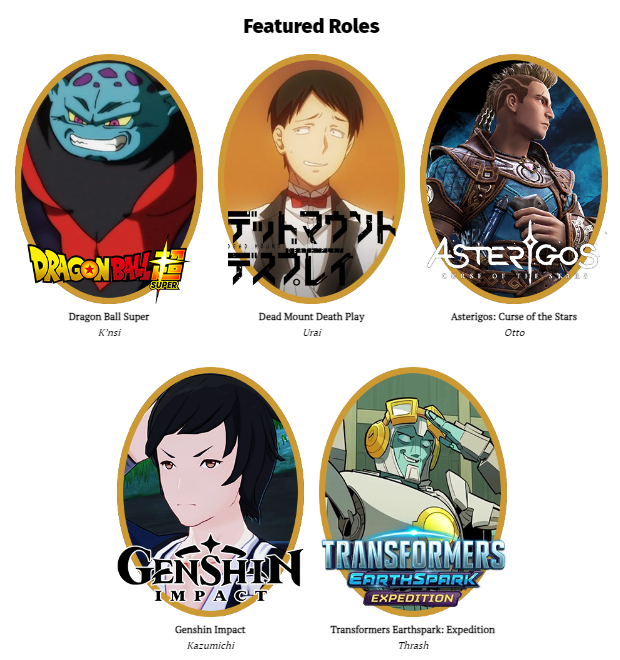
I have tried to do a gallery effect on so many different websites and it is always a pain. Whether it be the captions, the size, the margins, or any of an innumerable number of customization options, I can never seem to get it right. What you see on the website is the end product of a lot of fiddling.
The size of each image was the biggest issue for me, and so I ended up photoshopping all of the bubbles individually. This took more time, but meant that all images would come into WordPress with the same dimensions. The fact that there were 5 images made it more difficult because then I had to have two separate rows with different spacing so it looked clean. Here’s hoping my brother lands another role he wants to feature; working with 6 images will probably make this a lot easier.
2. The Email Debacle
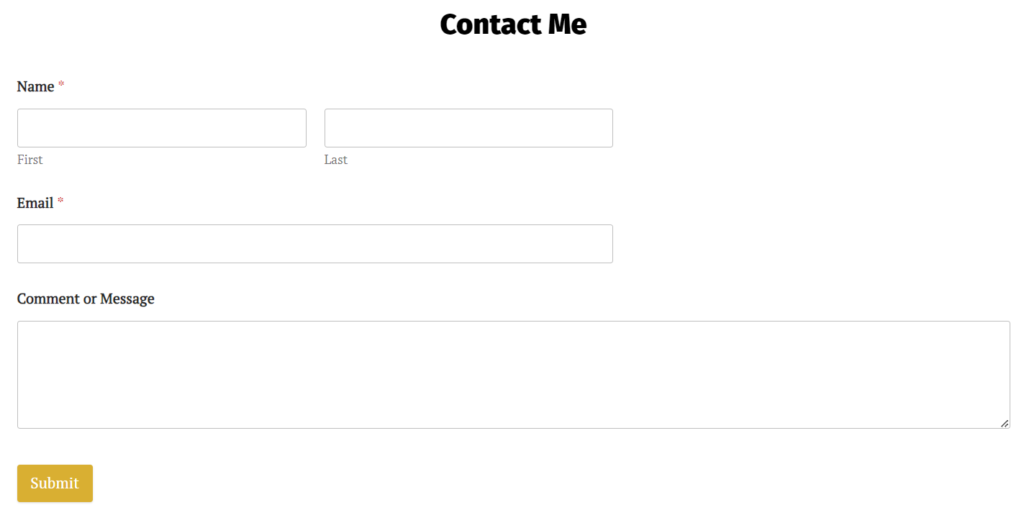
I still struggle with setting up contact forms and website email functionality. I spent a ton of time trying to make it so that the admin email would be my brother’s email and all emails would go to him. Then I learned that you can’t change the admin email with Bluehost. Then I tried to set it up so that the contact form just went directly to his email, but that didn’t work due to security or encoding issues, I’m not sure. Then I thought I needed to pay extra to have Bluehost give me a business email associated with the website, but because Chris is the business himself, I figured his personal email would also be his email. Maybe it would’ve worked fine if I set up a business email, but I wanted to try to set it up without the extra fee.
Eventually, I discovered that the admin email given to me by Bluehost could be accessed from Bluehost. What is more, I discovered that if I had the contact forms send emails to that address, it would actually receive them. In the end, I just set up a forwarding solution. Any email from the form goes to that Bluehost email and then it forwards it to my brother. Inelegant, perhaps, but it works.
In conclusion, if anyone has a better idea, or can explain the whole contact form to admin email process, or anything about emailing to and from personal website, PLEASE LEAVE A COMMENT. I would really appreciate it.
Final Thoughts
Despite the couple hours I spent beating my head against the gallery and the email, I really enjoyed this whole process! The feature I was most excited about was the scrolling animations; I thought they really brought the site to life. I also really enjoyed the color scheme; I think it works really well for the website and looks professional. I was also happy with my decision to make the layout slightly redundant. It’s clear, and the user won’t get lost trying to figure out where to go.
If you’ve read this far, thanks so much for engaging with my project and I! If you have any thoughts, questions, or recommendations, please don’t hesitate to leave a comment or email me.
Oh and make sure to check out Chris’ website for all your voice acting needs!